The phone remote
Run the service from your hand.
Any phone or tablet on the church Wi-Fi can drive what is on the screen — the next verse, the next slide, the next item in the service. There is nothing to install on the phone. You scan a code and it is a remote.
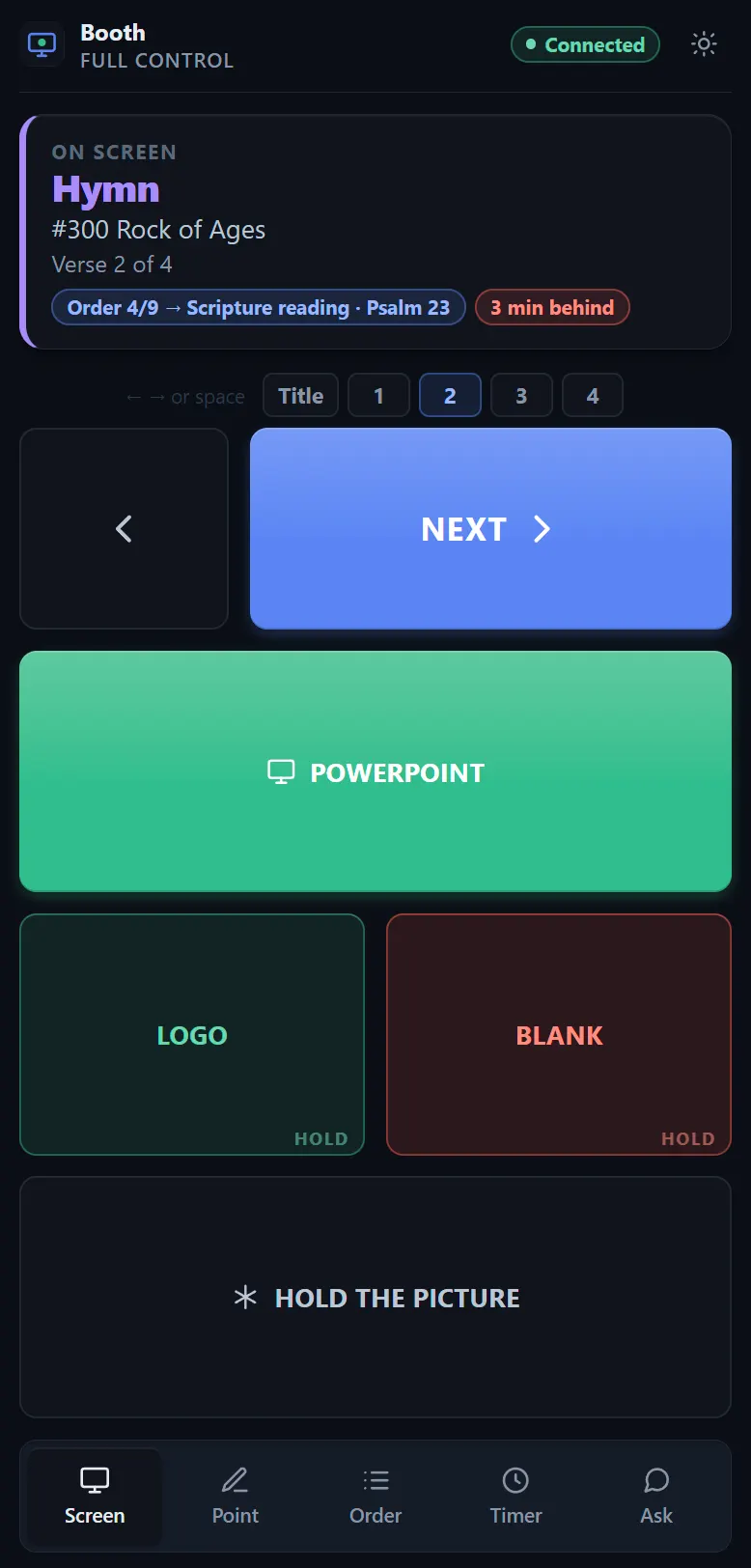
These are photographs of the page as it really is. It has its own light switch in the header, because a remote is read in a lit vestry as often as in a dark room, and whoever is holding it is the only person who knows which.
Getting one paired
Three steps, about twenty seconds.
- In the app, open Remotes from the top bar. The first QR code is already on screen — nothing to click first.
- Point the phone’s camera at it and tap the link. If the camera will not cooperate, the address underneath can be typed by hand — it is the same one for everybody.
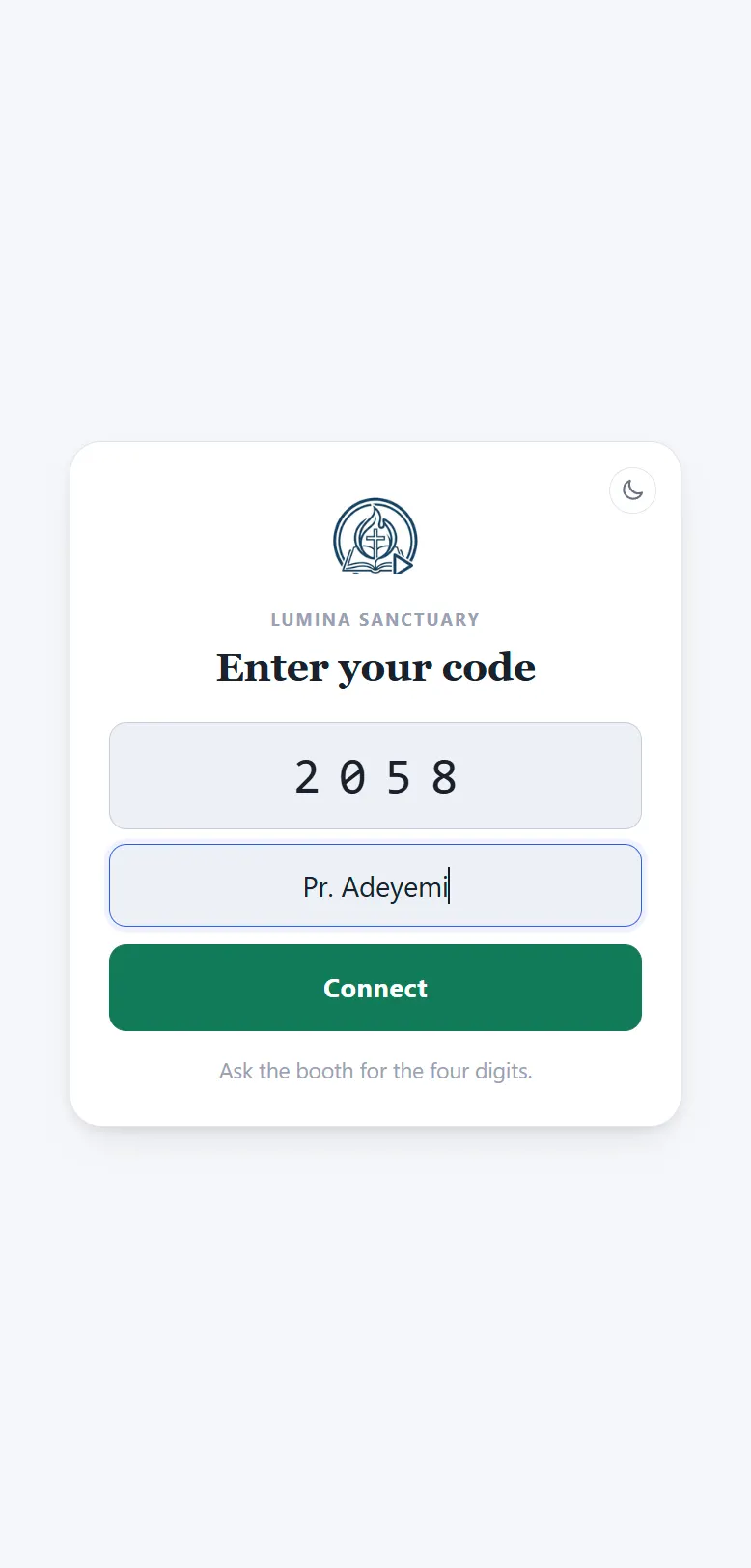
- The phone asks for a code and a name. The code decides what they may do; the name is who the booth sees holding it. That is it.
There are two codes, not one per phone: a booth code and a platform code, both in Settings › Connections. Which one somebody types decides what they may do; the name they type is who they are, and it is what the booth sees. A session can be paused or hung up on its own without disturbing anybody else, and a code can be set to end when the service does. Codes live on the church’s machine and never leave the building.
Add it to the home screen. The phone offers this from its browser menu, and it is worth doing: without the browser’s own bars the page fits the screen exactly, which is what it was drawn for.
What is on the page
One screen. No scrolling, ever.
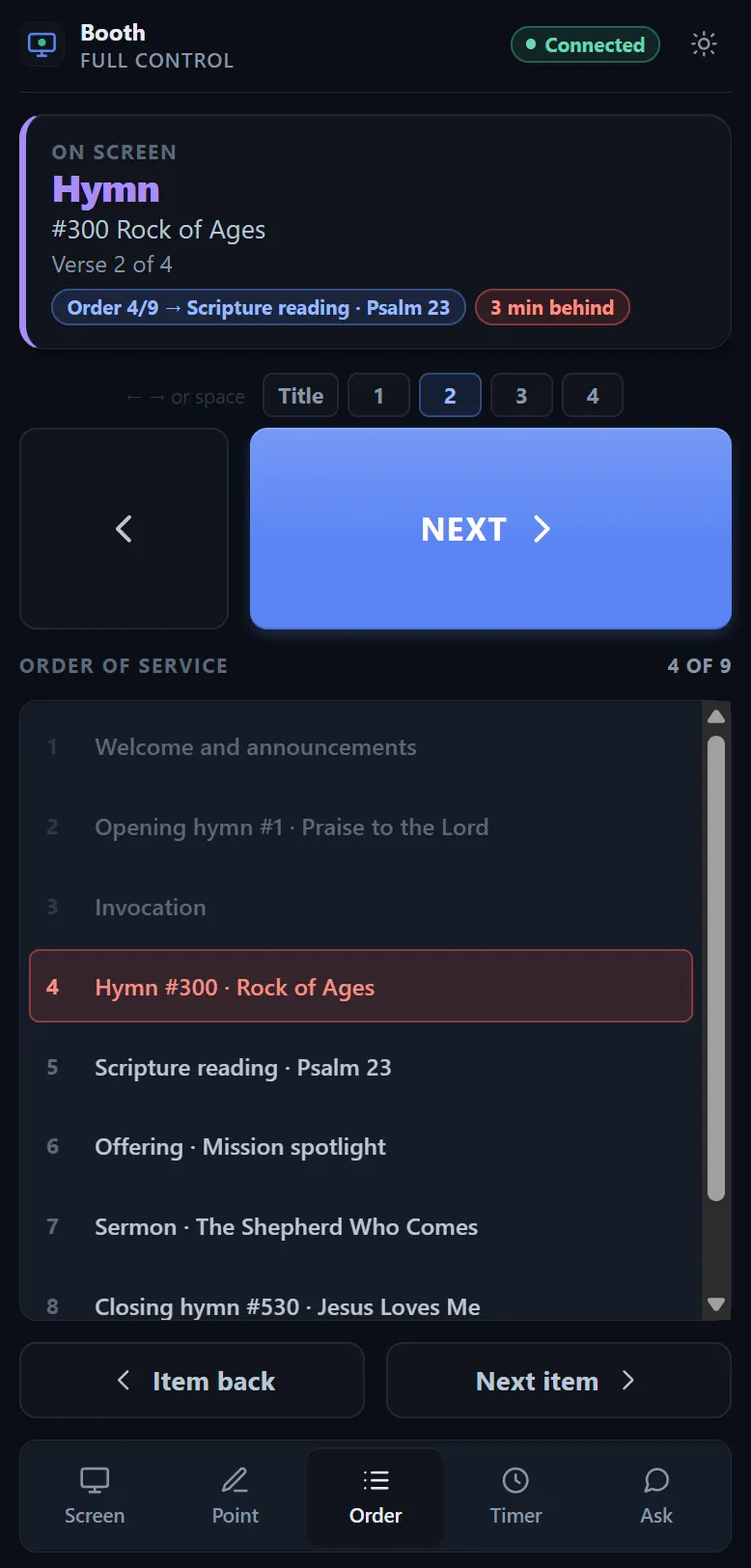
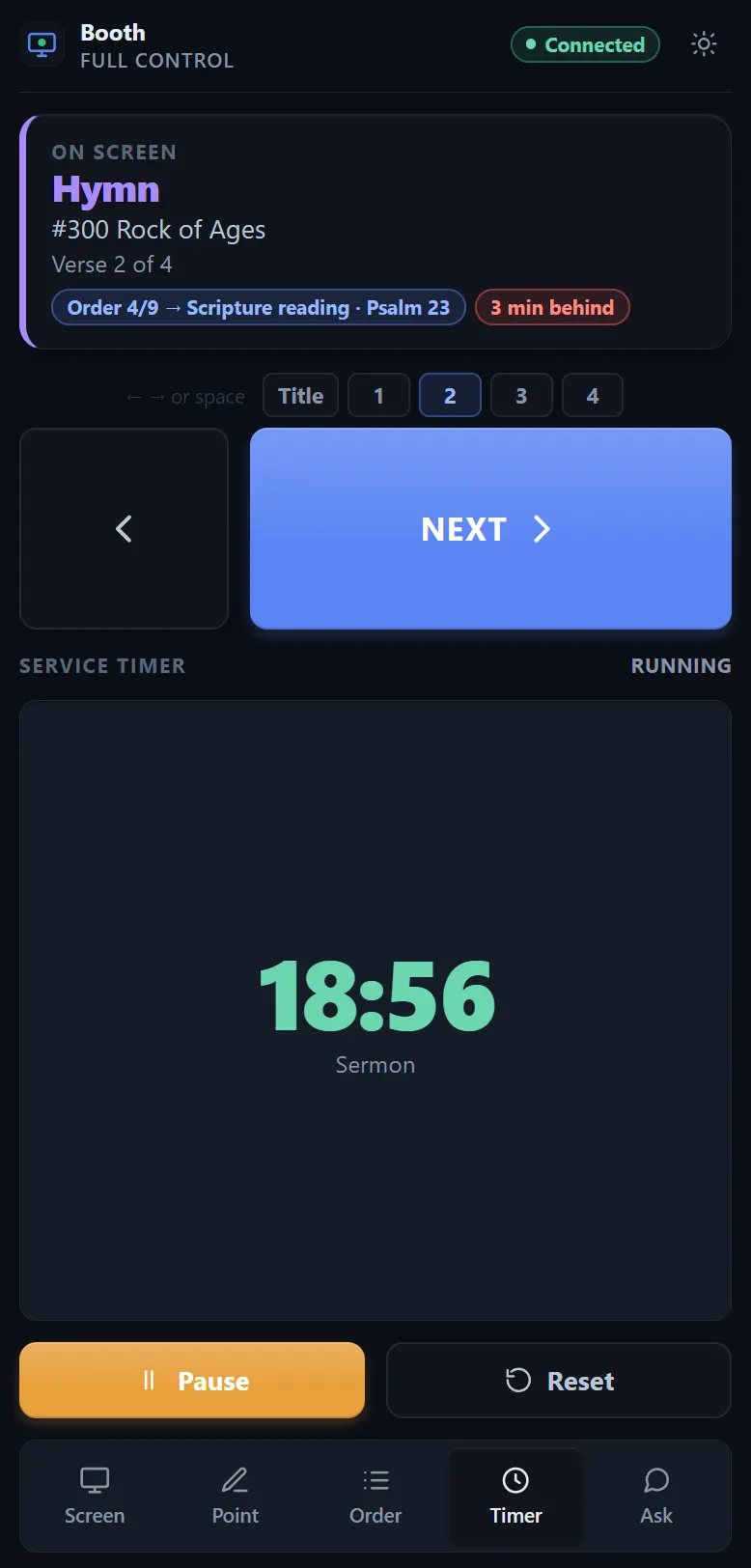
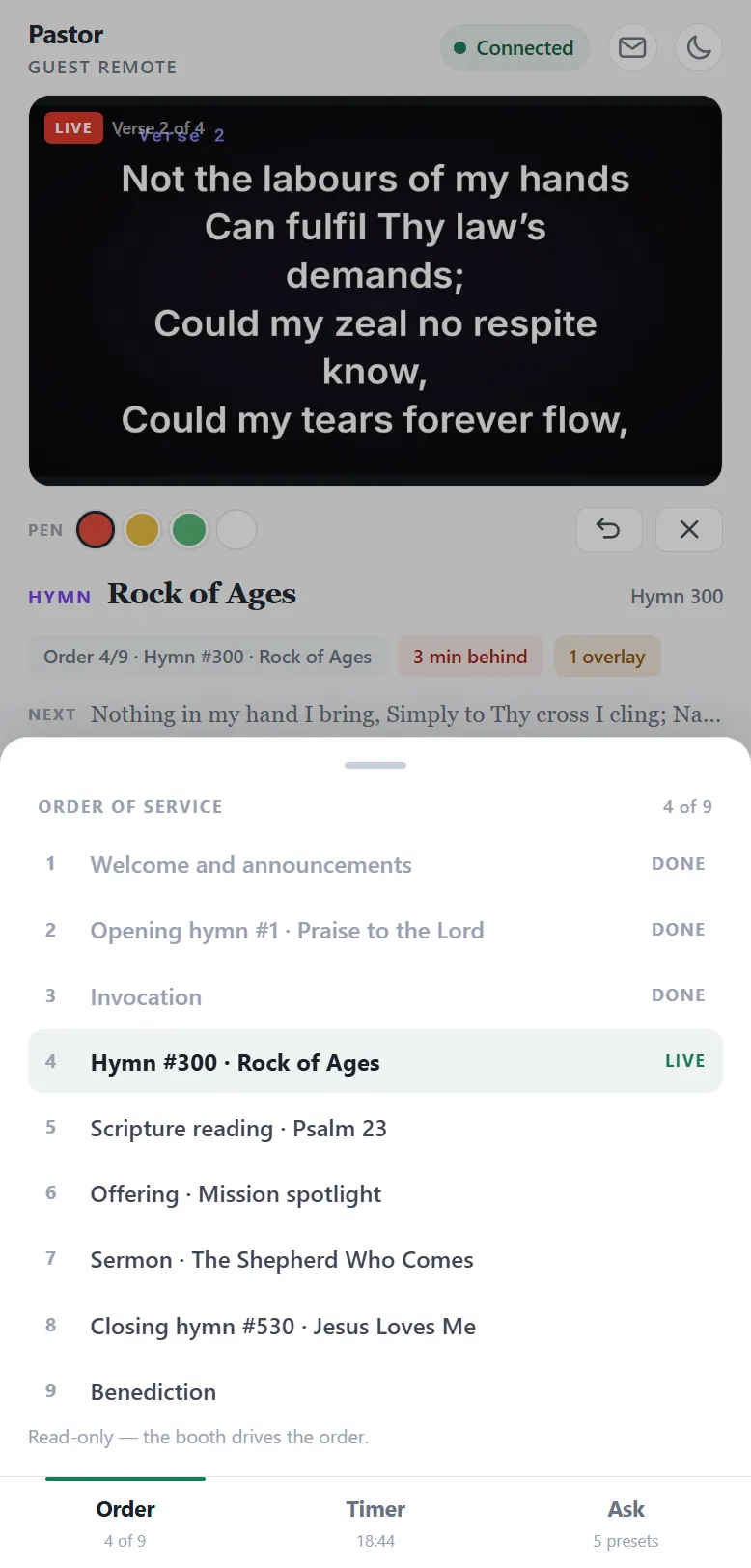
A remote is held in the dark, at arm’s length, by somebody who is also doing something else. So the buttons never move, and nothing important is ever below a fold. A guest remote fits one screen exactly and never scrolls; an admin remote keeps its keys fixed at the bottom and lets only the middle move. Three trays arrive from underneath — Order, Timer and Ask — over the wall rather than replacing it, because somebody reading the words they are about to say will not press a tab that takes them away.
Order
Every item in the service, with the live one marked. Tap one to go straight there rather than pressing NEXT past four things the congregation can see.
Timer
The same clock the platform monitor shows. The phone counts on its own, so a forty-minute countdown costs one message rather than thousands.
Ask
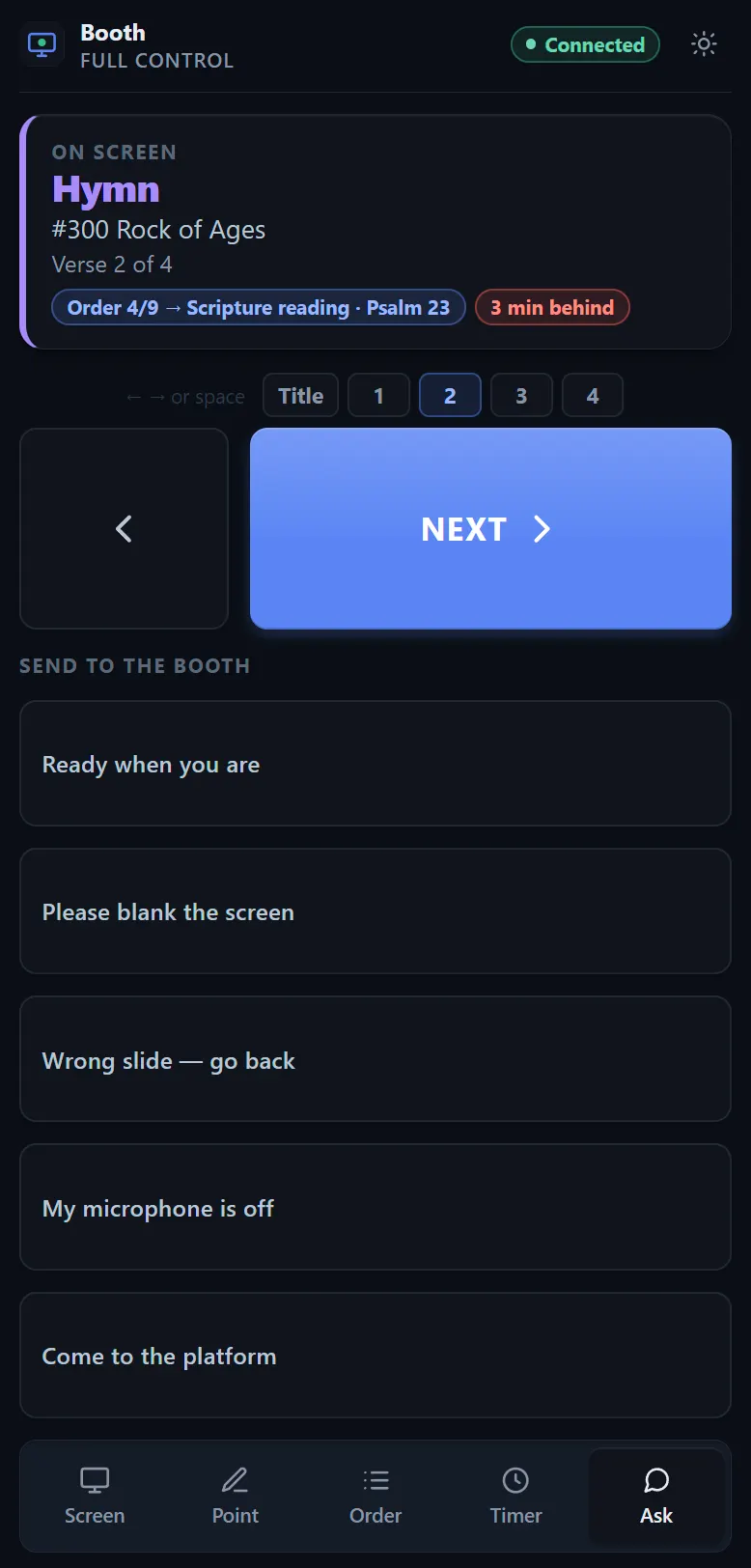
Five things to say to the booth. They arrive on the operator’s screen with your name on them.
Pointing
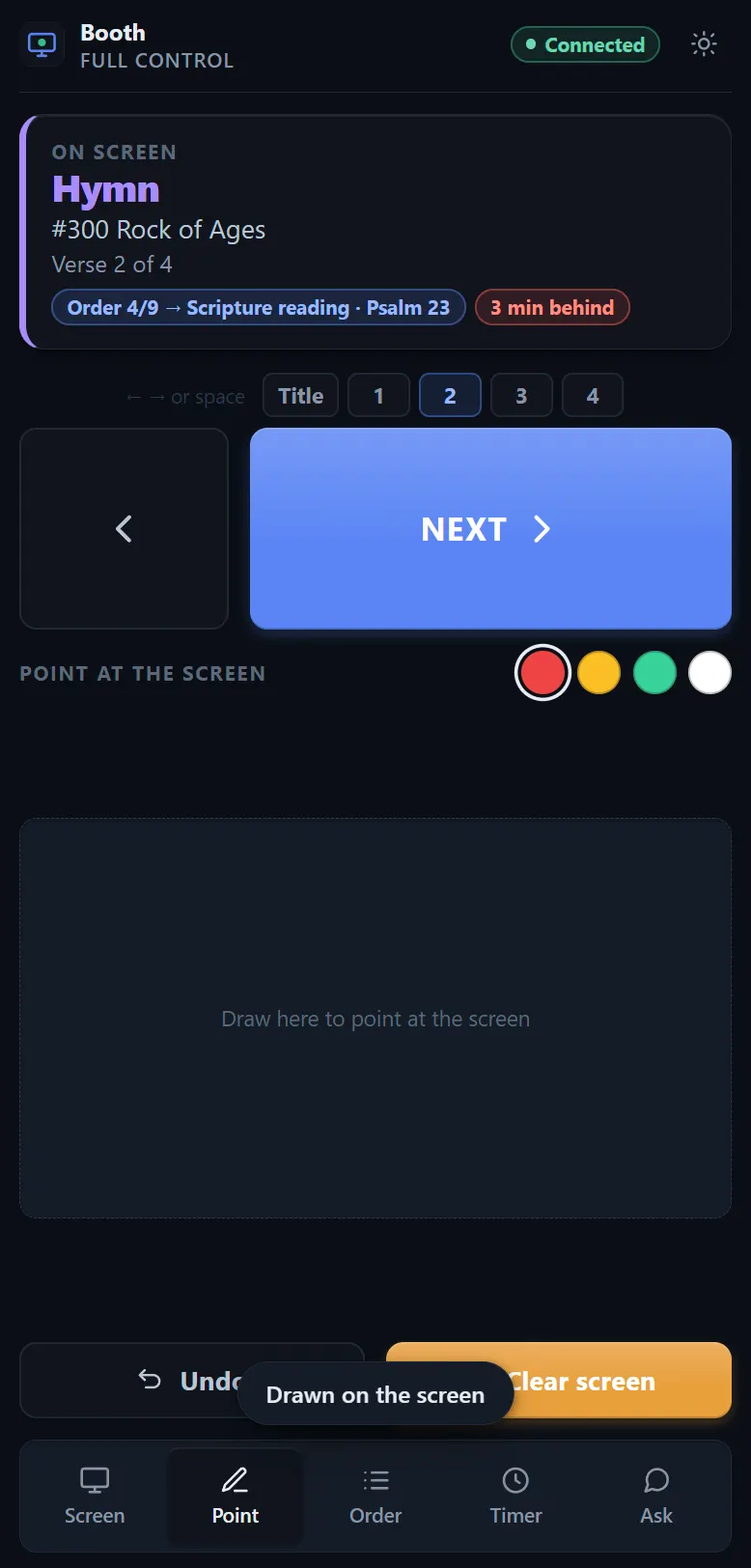
Not a tray of its own: draw straight on the picture of the wall and the mark lands on the projector where you drew it, in one of four colours. A mark takes itself off after three seconds — a phone pointing at the screen is a laser pointer, not a whiteboard. The booth sets that, or turns drawing off entirely.
Who gets which remote
A pastor’s remote cannot black out the church.
Give the booth an admin remote and everyone else a guest one. The two are named for who is holding one rather than for how much was taken away from it. A guest remote moves through what is already on screen, points at it, and can look a hymn or a passage up and put it on the wall — behind a confirmation that shows what it is about to replace. What it cannot do is take the screen away: no Blank, no Logo, and no hold-to-fire control anywhere on it, which matters most when it is in somebody’s pocket during the offering.
Jumping to a verse is on the guest list on purpose. It is navigation, not a change of mode: a preacher who wants verse four should not have to tap NEXT three times while the congregation watches verses two and three go past.
What the booth gets that the platform does not
The whole desk, from the back of the hall.
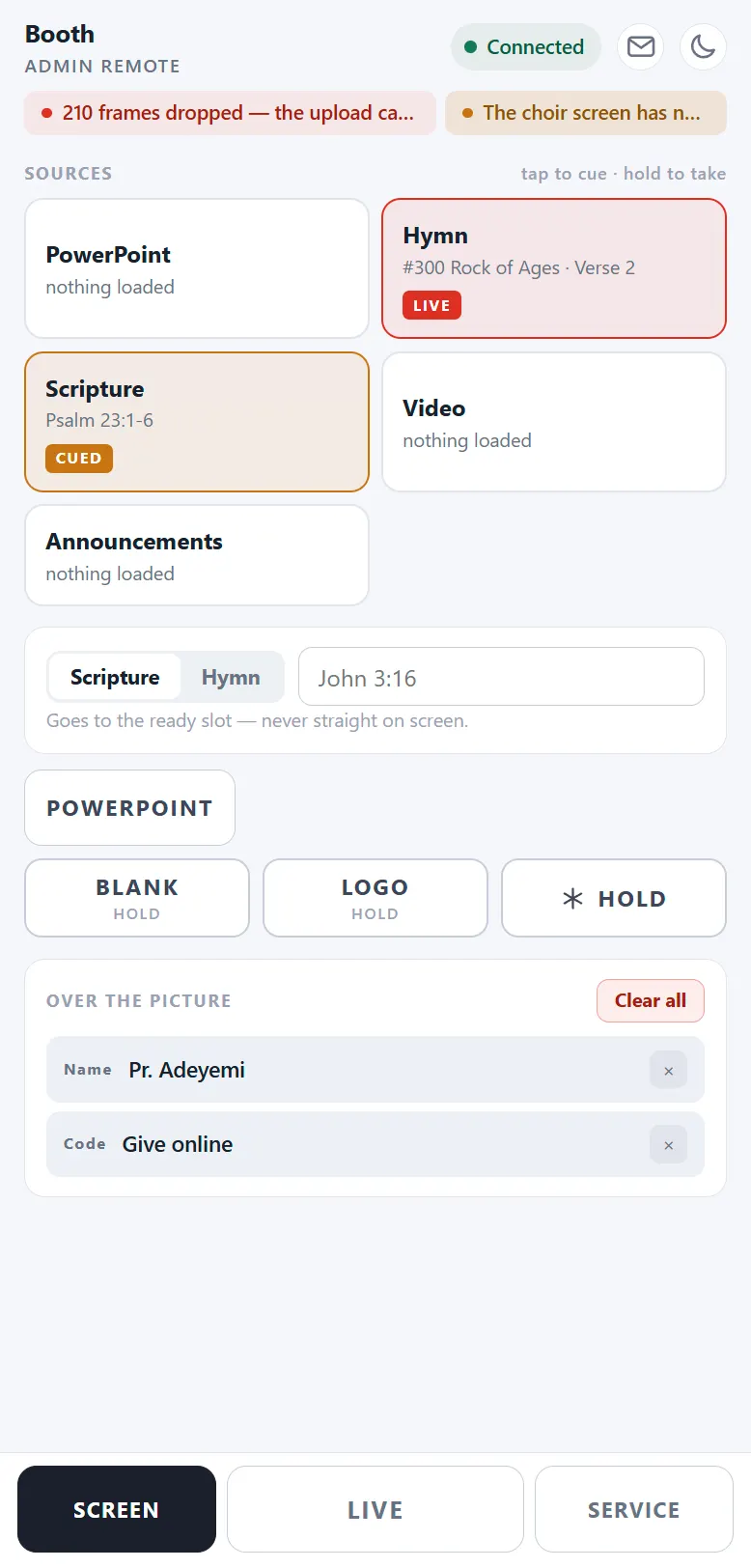
An admin remote is not a larger guest remote — it has a page a guest remote does not have at all. Every source the booth can reach is on it, cued and taken the same two-press way the desk does it, so somebody standing at the camera can put the next thing up without walking back.
Every source
The same tiles the operator is looking at, in the same order. Cue one and it waits; take it and it goes up.
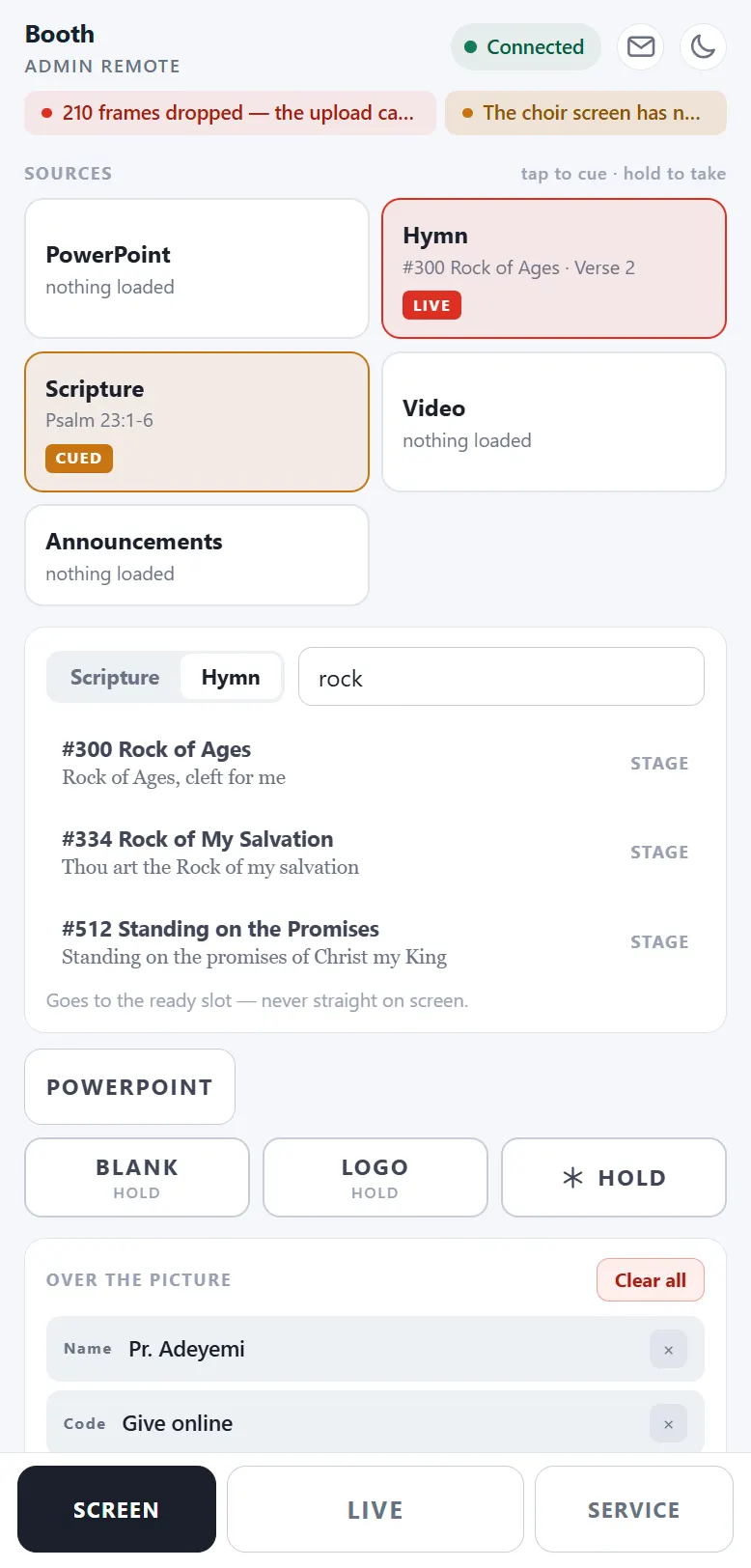
Look it up
The preacher has just named a reference nobody prepared. Type it, see what matches, send it. A guest remote can do this too — behind a confirmation that shows what it is about to replace.
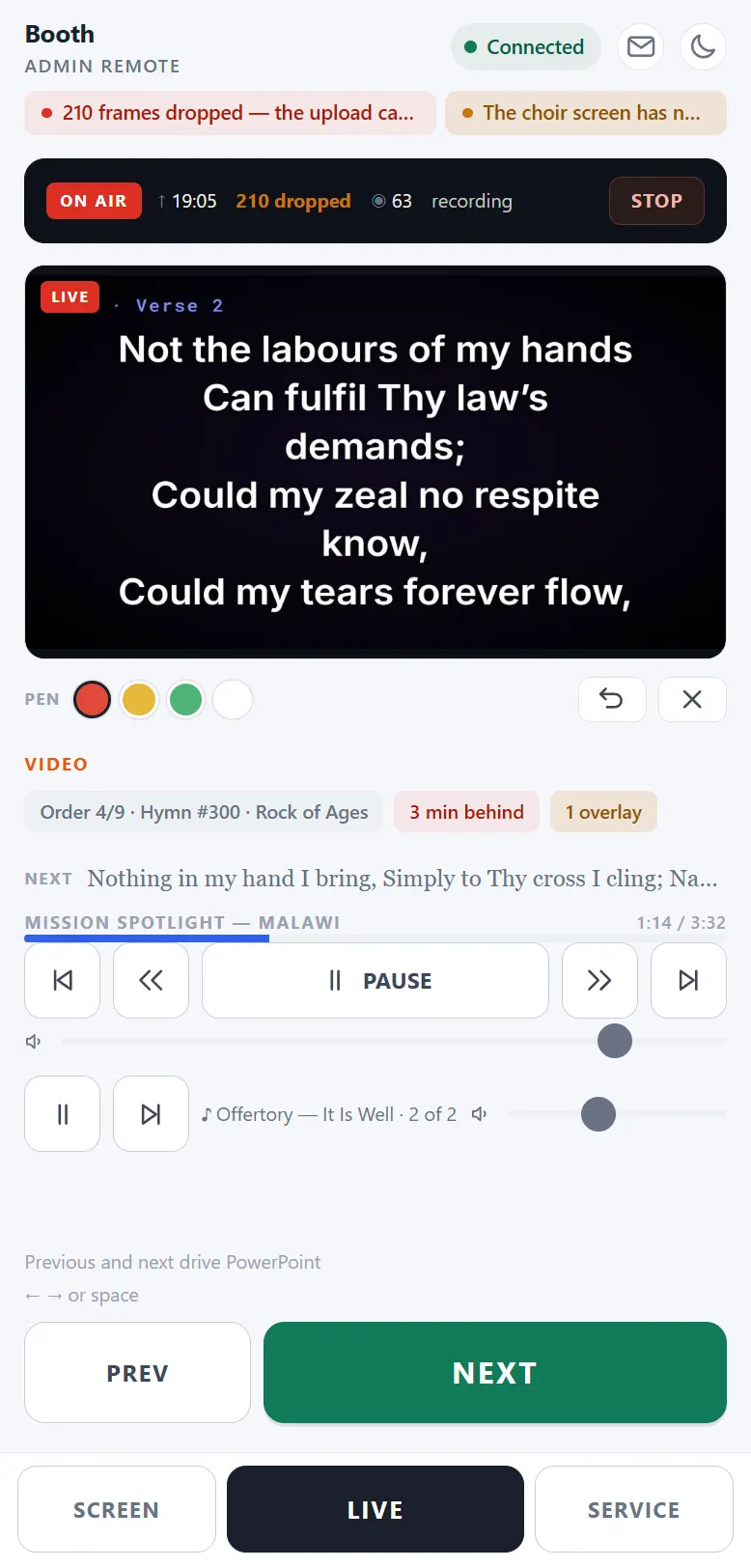
Drive the film
Pause, scrub, skip, and the music underneath it at its own level. The transport is not there during a hymn — it appears only while something is playing, and collapses to nothing again after.
From the booth
The conversation goes both ways.
A remote used to be a one-way thing: the phone drove the service and the room it was being driven from could say nothing back except by walking over. The booth now has two answers, and neither of them unpairs anybody.
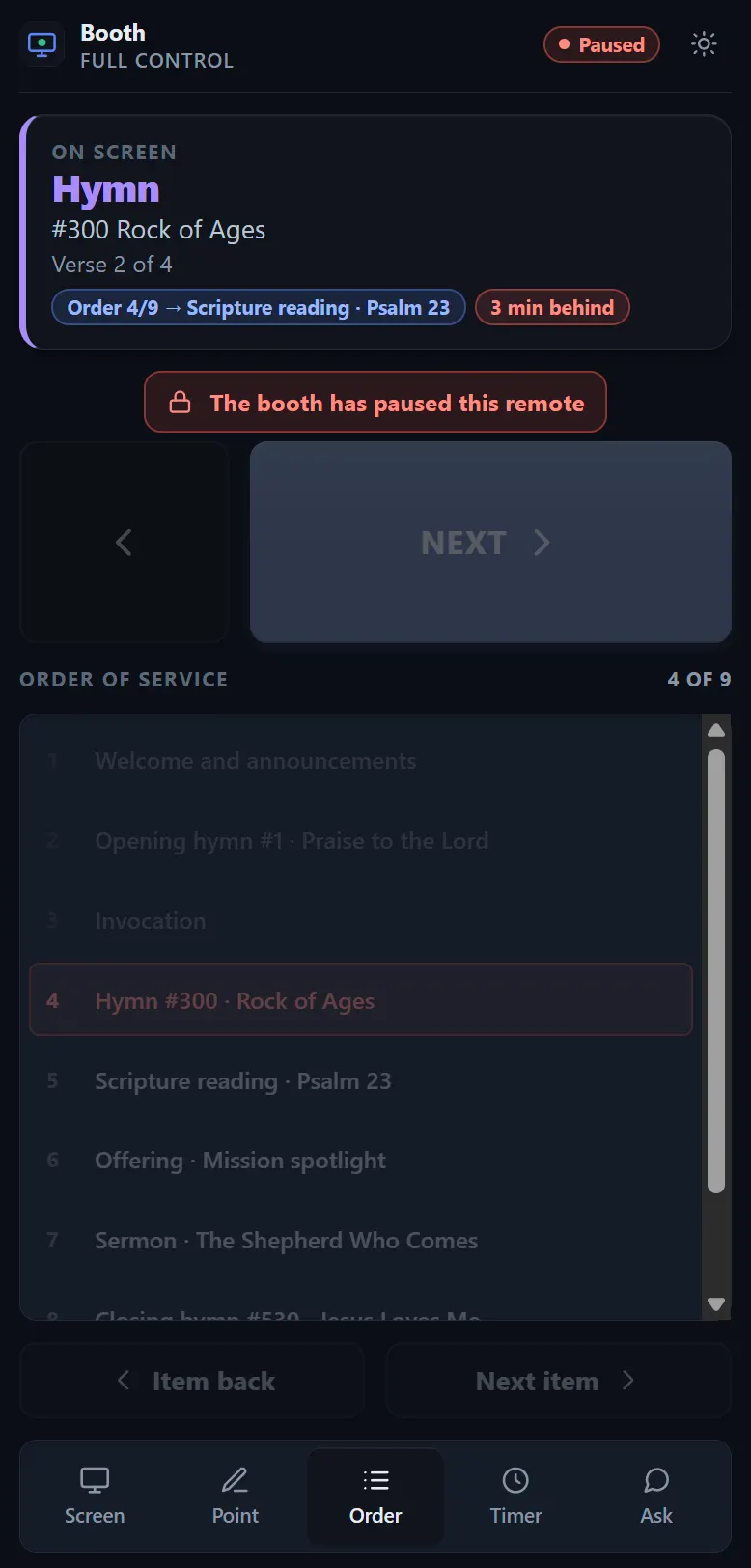
Pause
Takes the buttons away without disconnecting anything. The phone stays paired and keeps showing what is on the projector — it simply cannot act.
For a guest speaker holding a remote through the offering, or a phone left on a pew. Handing control back is one tap in the booth, with nothing to re-scan and nothing to explain.
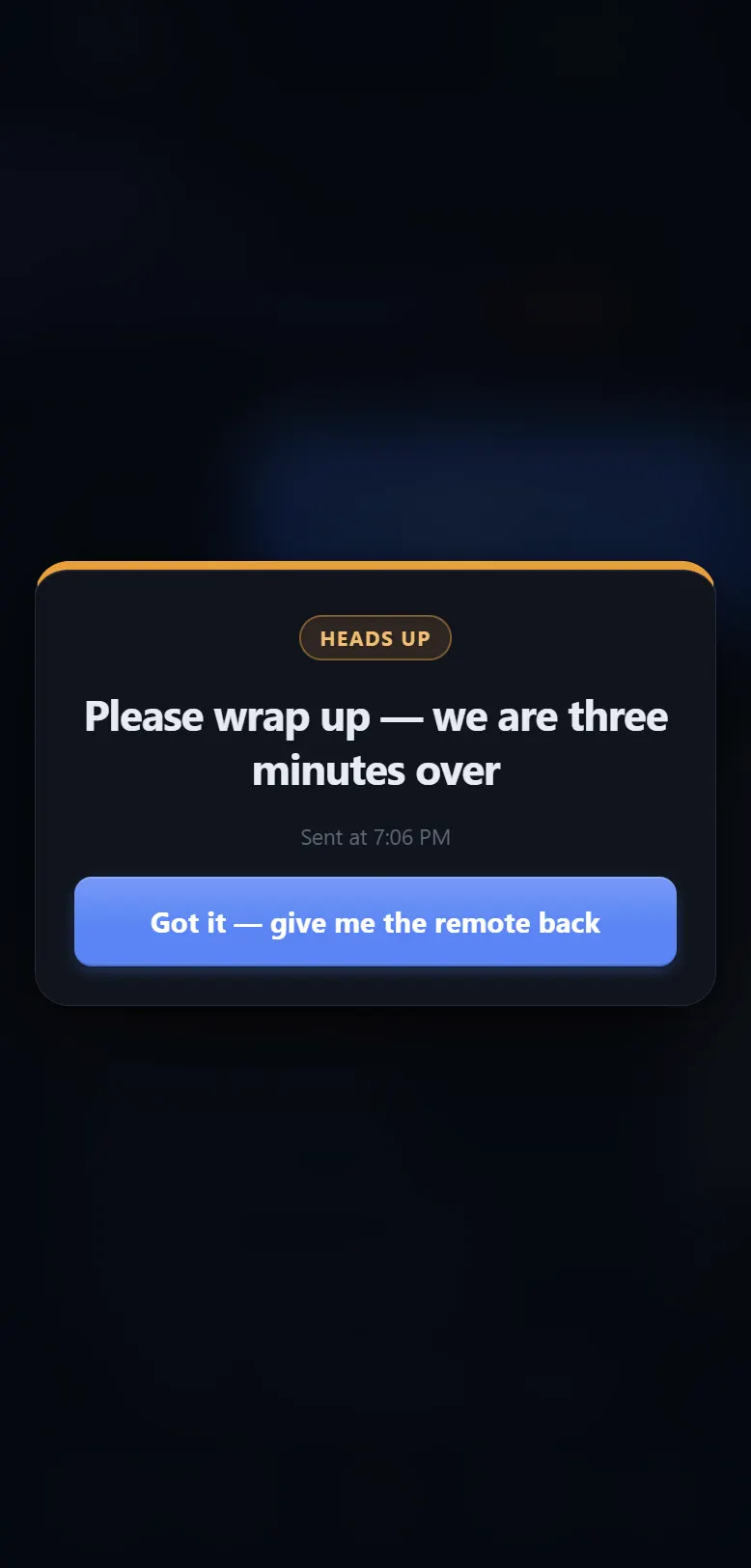
A note on the screen
Covers the page and holds the phone until it is dismissed — and dismissing hands the remote straight back. Nothing is revoked by a message.
Five presets are one tap: Please wrap up, Two minutes left, Hold — we are not ready. The booth is told when it was read, and one press sends the same note to every phone at once.
The watch-only address
Safe to hand anybody.
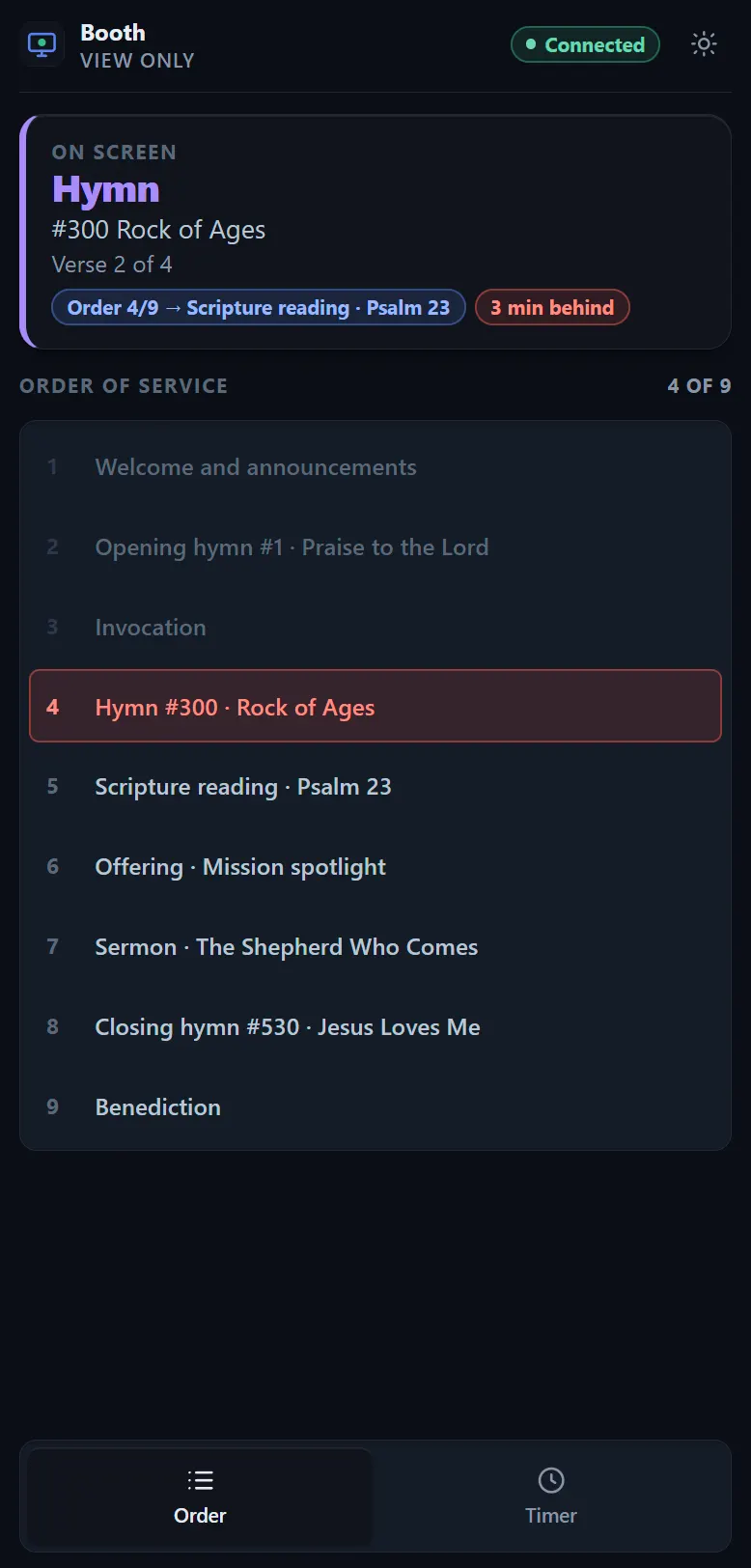
Add /view to the end of a remote’s address — there is a copy button for it beside each one in the app — and you get the same picture with no buttons at all.
It is the right thing for a deacon at the back who needs to know where the service is up to, for the sound desk, or for anyone who should be able to see but not touch.
Worth knowing before Sabbath
The rest of it is in the manual.
Sections 47 and 48 cover phone remotes and pointing at the screen in full, and Phone Remotes is the reference behind them — every button, every power, every address and every verb. Both are inside the app, searchable, with no network needed.