Seventh-day Adventist church media station · Windows
Everything a Sabbath service puts on screen, from one window.
One operator. The projector, the platform monitor, the choir screen, the foyer display, the phones in people's hands, and the stream going out to whoever could not come.
Windows only. Lumina Sanctuary runs on Windows 10 and 11.
PROJECTOR · PLATFORM · CHOIR · STREAM
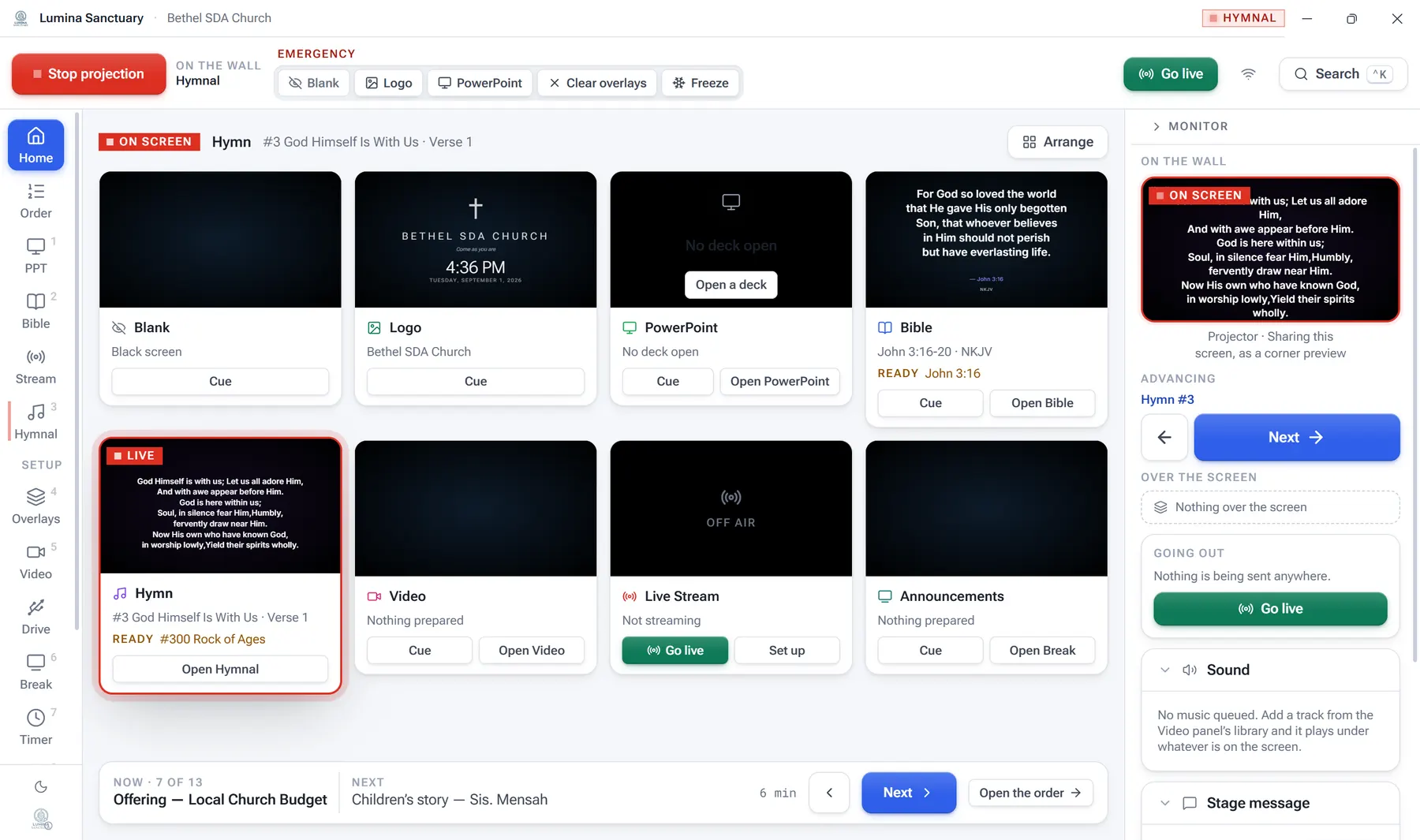
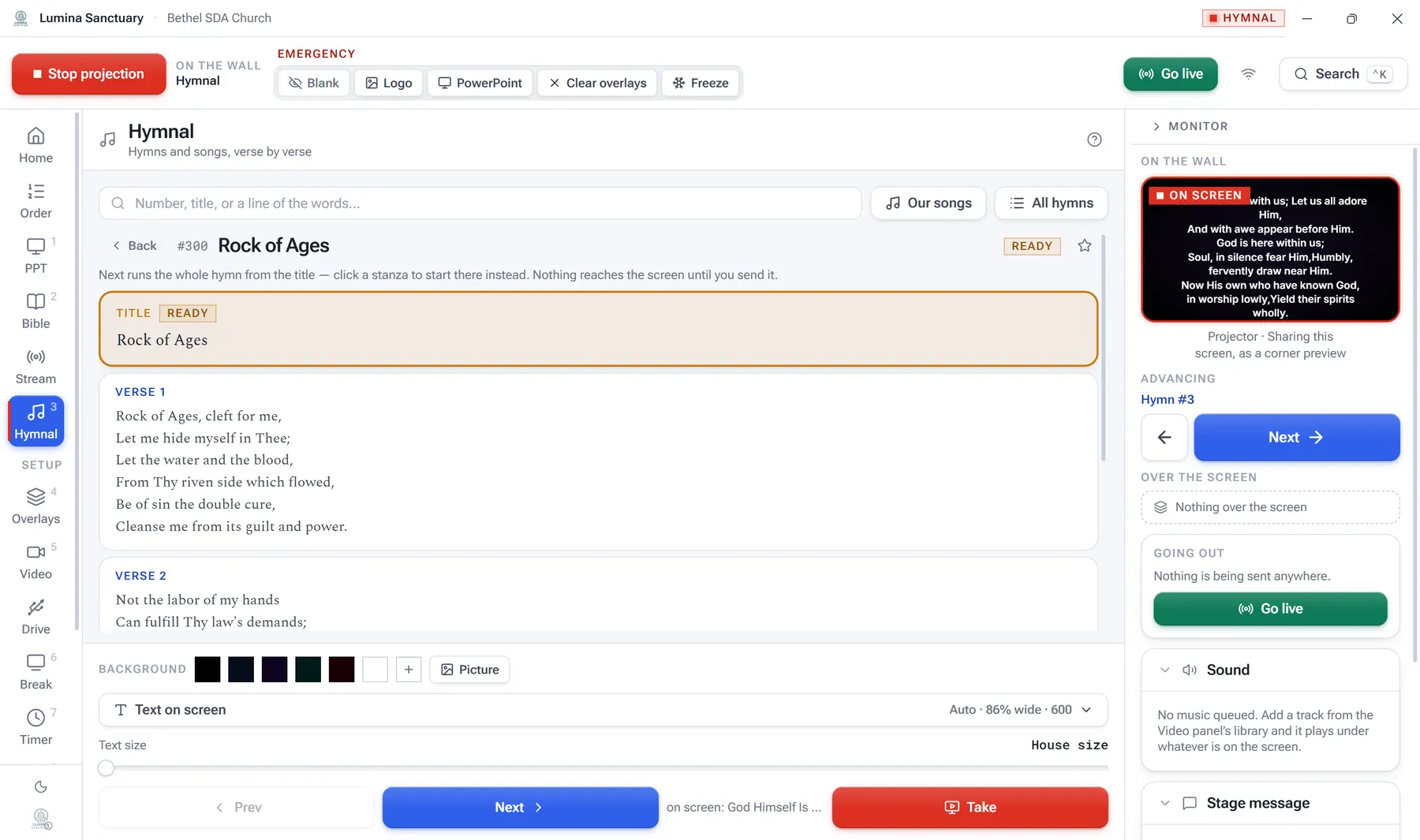
The live dashboard — every source at once, one of them LIVE, the rest showing what they would put up.
The home page
You can see every source before the congregation sees any of them.
Most church software shows you one thing: whatever is on the screen. This shows you all of them at once — the hymn, the passage, the deck, the film, the announcements — each one displaying what it would put up if you took it. The projector is mirrored down the right-hand rail, so what the room is looking at is never a guess.
Ready and live are different things
Every source holds two: what it is showing, and what it is holding for later. Preparing the next hymn during this one no longer overwrites it.
Nothing reaches the wall by accident
Choosing a verse cues it. A second, deliberate press takes it live. Looking something up in front of the congregation changes nothing they can see.
One window, not four
The projector, the platform monitor, the choir screen and the foyer display all come off the same state. There is no second computer to keep in step.
See it running
Watch somebody drive a service.
Both were recorded off the real application — a demo church, a real phone paired with a real PIN. When the phone presses Next in the first film, the wall beside it moves because it was actually told to.
The booth and the phones · 1:43
Starting projection, cueing a hymn, taking it live — then a pastor on the platform pairs a phone and moves the same hymn from their pocket.
Everything it does · 3:25
All fourteen panels in order — the order of service, the hymnal, scripture, decks, film, overlays, the stream, and the manual that lives inside the app.
The phone remotes
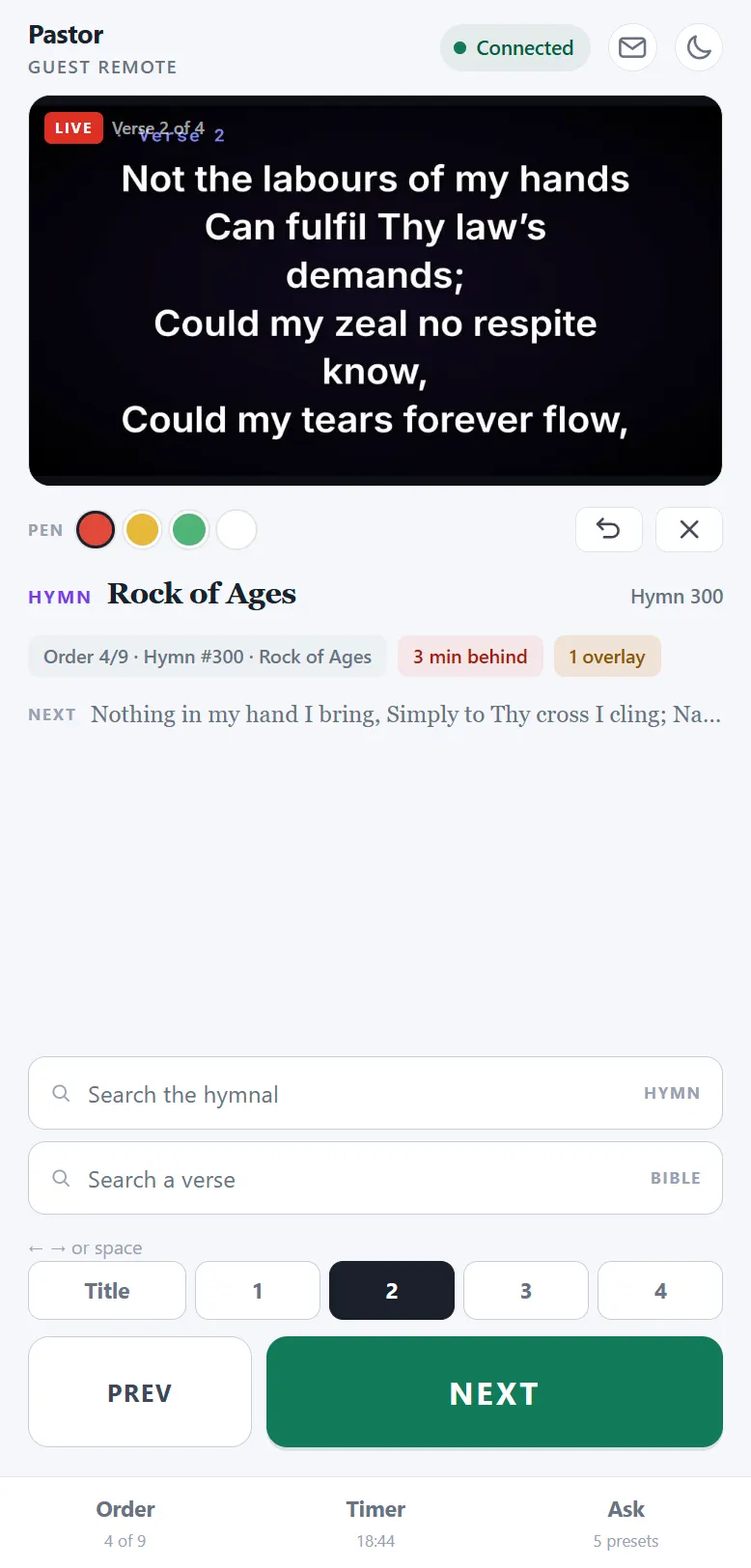
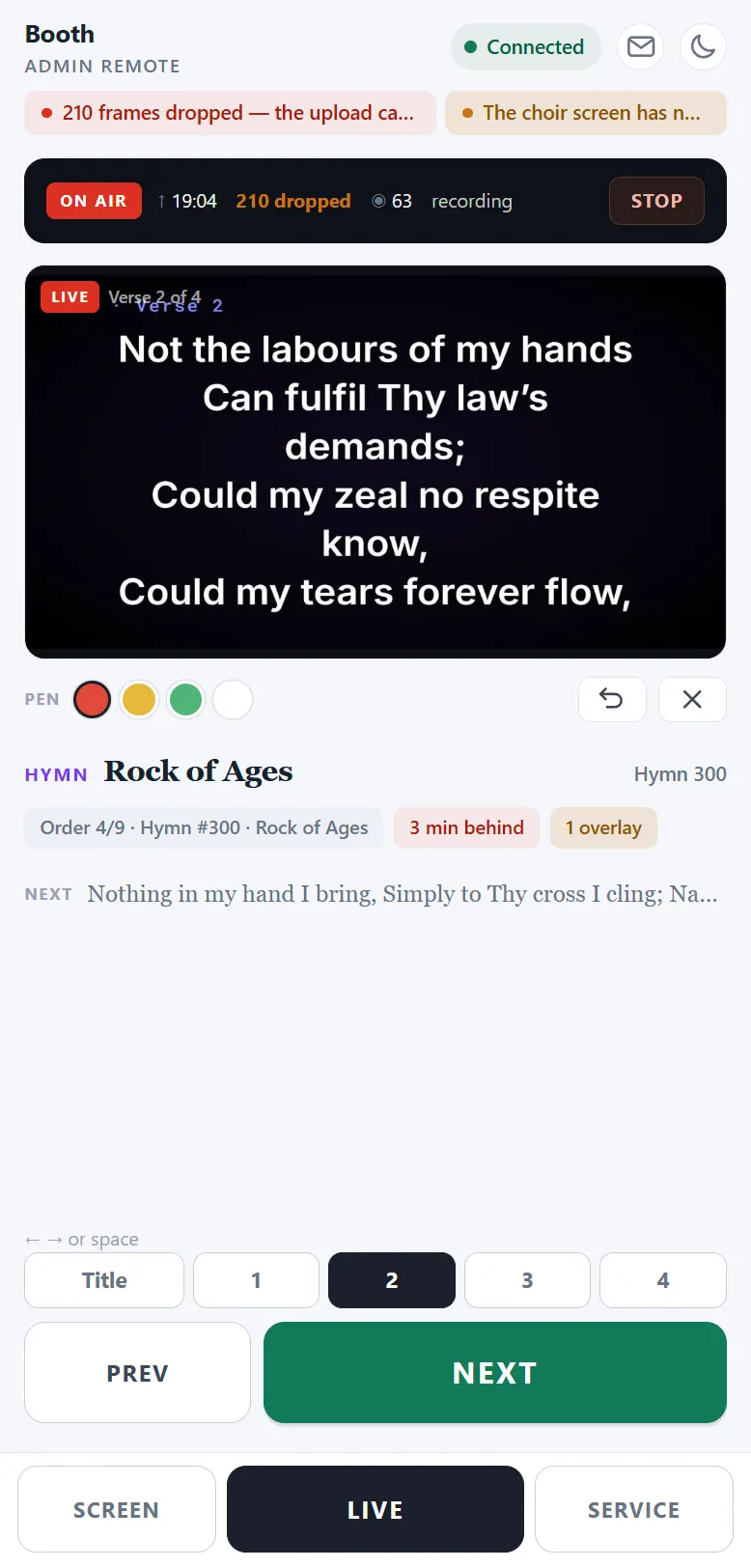
The person speaking can move their own slides.
A visiting preacher opens one address, types four digits and a name, and is driving the service thirty seconds later — no account, no app store, no cable. They see a picture of the wall, step their own stanzas, and can put up a passage nobody prepared for.
They see the wall, not a description of it
A photograph of the congregation's screen, redrawn when it changes. Draw on it with a finger and the mark lands on the projector where it was drawn.
A pocket cannot blank the sanctuary
Anything that takes the screen away is held rather than tapped, and fills as it is held. The guest remote has no such control anywhere — its answer to that risk is not a harder button, it is no button.
The booth keeps the last word
One address and two codes — one for the platform, one for the booth — and whoever types one puts their own name in, so a request arrives with a name on it. The desk can send a note to one phone, take its buttons without disconnecting it, change what it may do while somebody is holding it, or hang it up.
One idea, running through all of it
The congregation's screen is sacred.
Nothing the operator does while preparing should ever reach it by accident. Every panel in the app is built to that rule.
Looking up does not project
Open a hymn while another is up and it becomes Ready. Nothing on the wall moves until you press Take.
A typed passage waits
The reference resolver runs as you type and never projects. Typing "John 3:16" cannot put John, then John 3, then John 3:1 on the wall.
A pocket cannot blank the wall
Phone remotes carry their own permissions, and Blank and Logo are hold-to-fire. Give the booth an admin remote and the pastor a guest one.
One key that always works
F9 blanks the projector from anywhere in Windows, even with PowerPoint in front. First press. No hold.
What it can do
Fourteen panels, one state, no second computer.
The whole program
Every page of it, as it actually looks.
Fourteen panels down the left-hand rail, in the order a service runs: the five a Sabbath morning touches, then the ones that are set up once. These are photographs of the running application, not drawings of it — and they follow this page, so what you are looking at is the mode you are reading in.
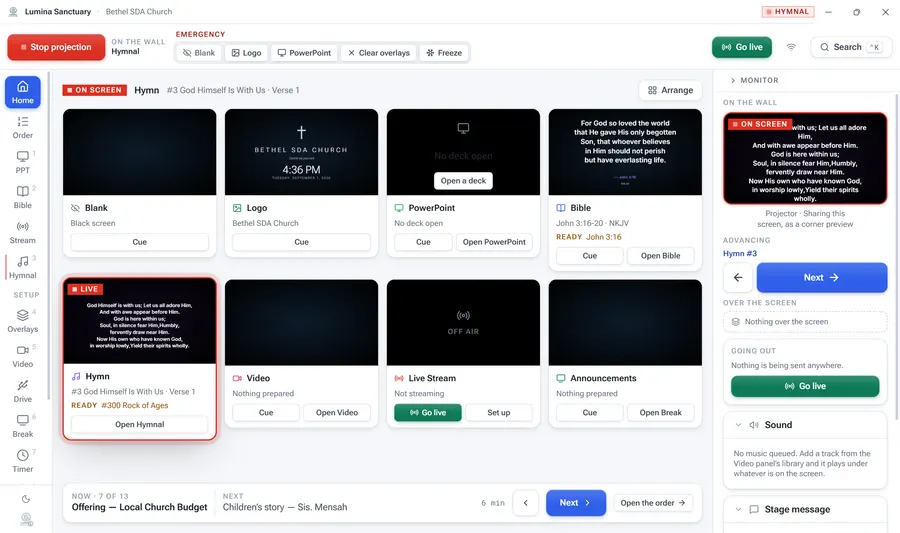
Home
Every screen at once — what is live, and what is ready behind it.
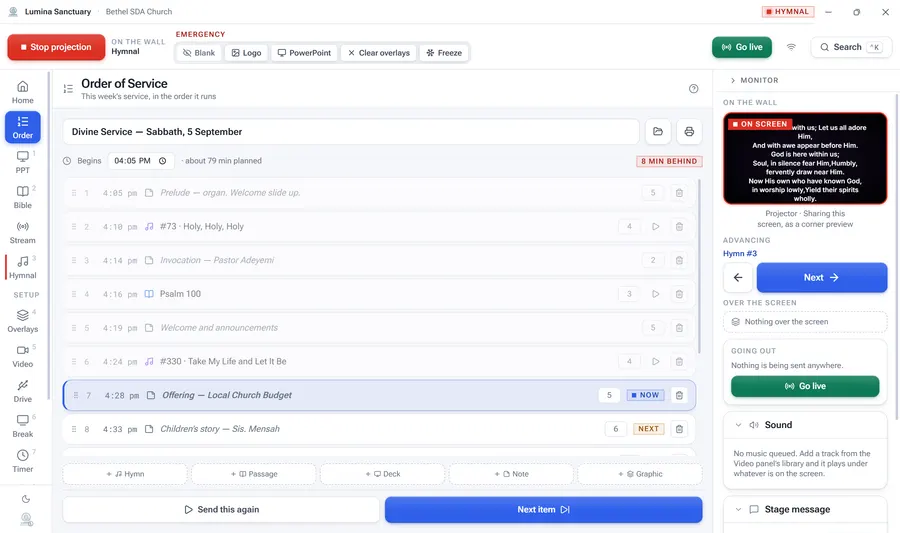
Order
This week’s service, in the order it runs, with the minutes it was planned to take.
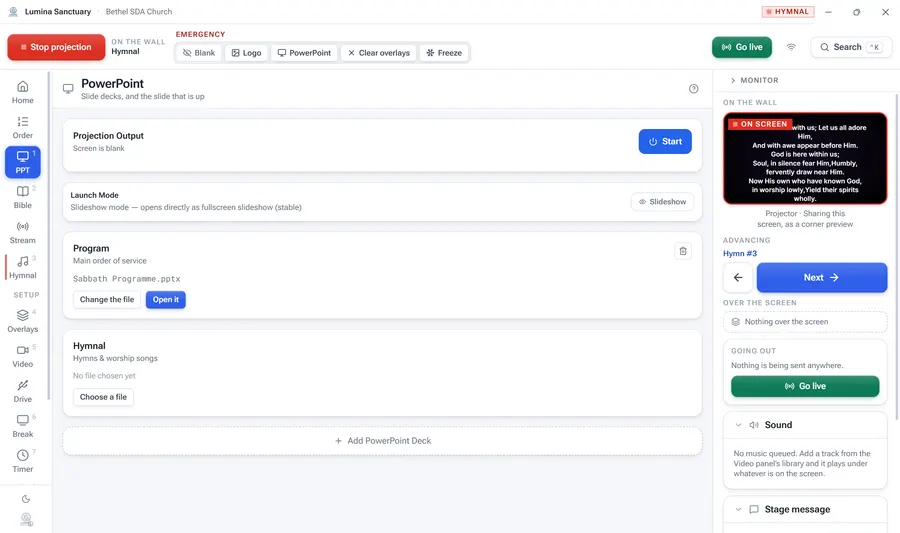
PowerPoint
Your existing decks, driven live. It does not replace them.
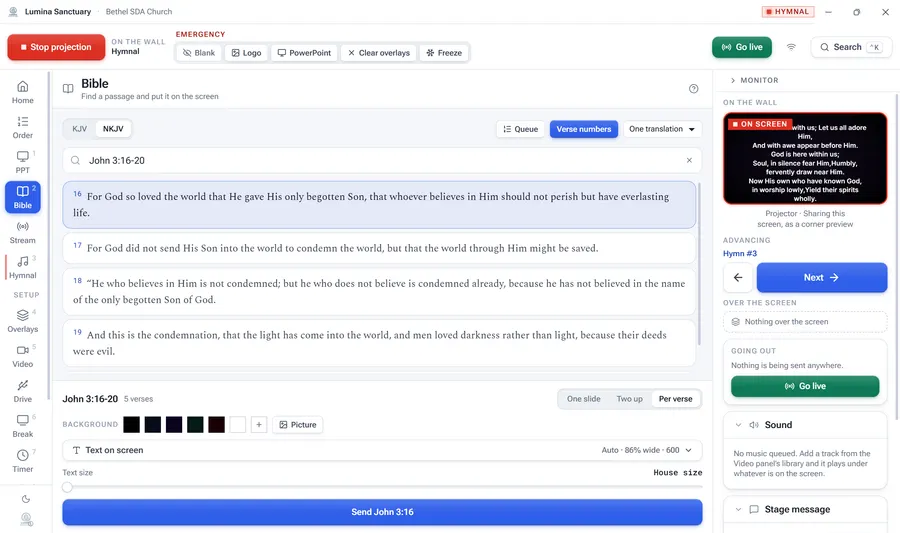
Bible
Find a passage and put it on the screen. Around 31,000 verses, on the disk.
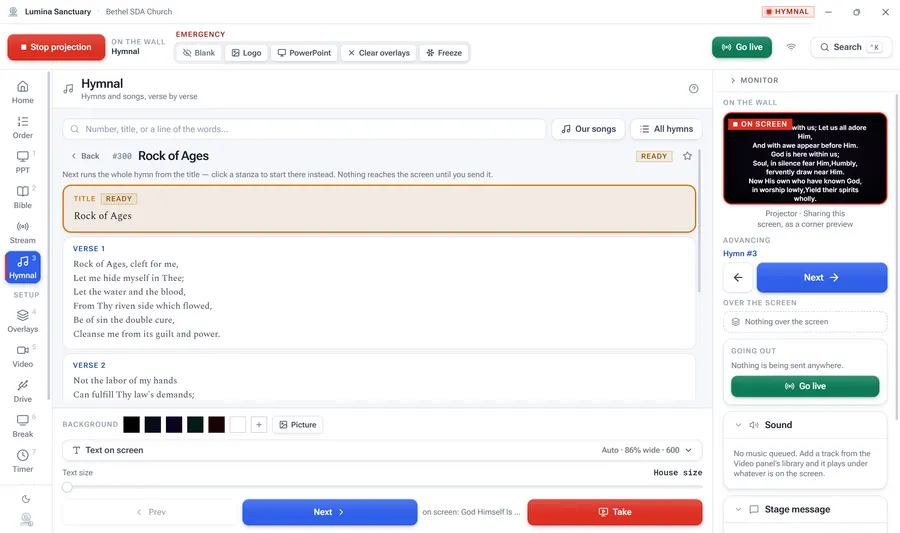
Hymnal
All 695 hymns, verse by verse, your own songs beside them, and an instrumental that turns the pages for you.
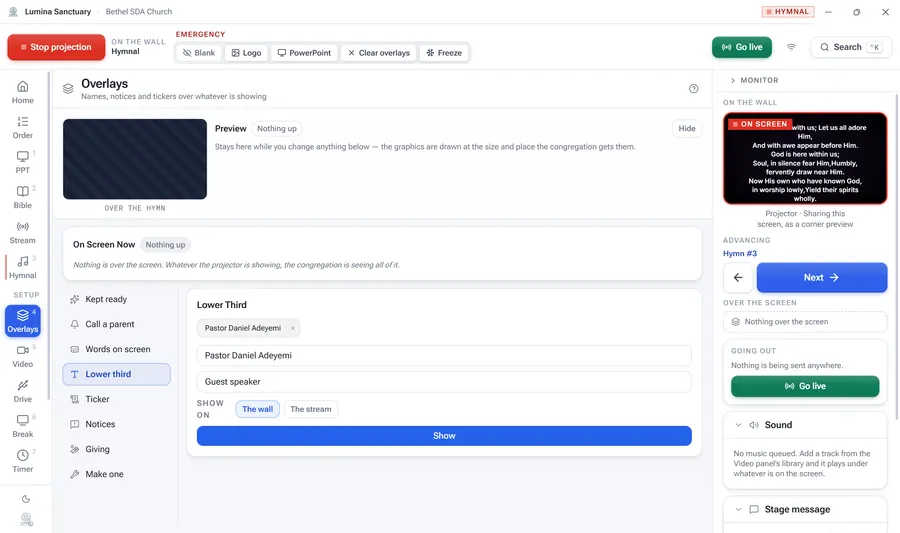
Overlays
Names, notices and tickers over whatever is already showing.
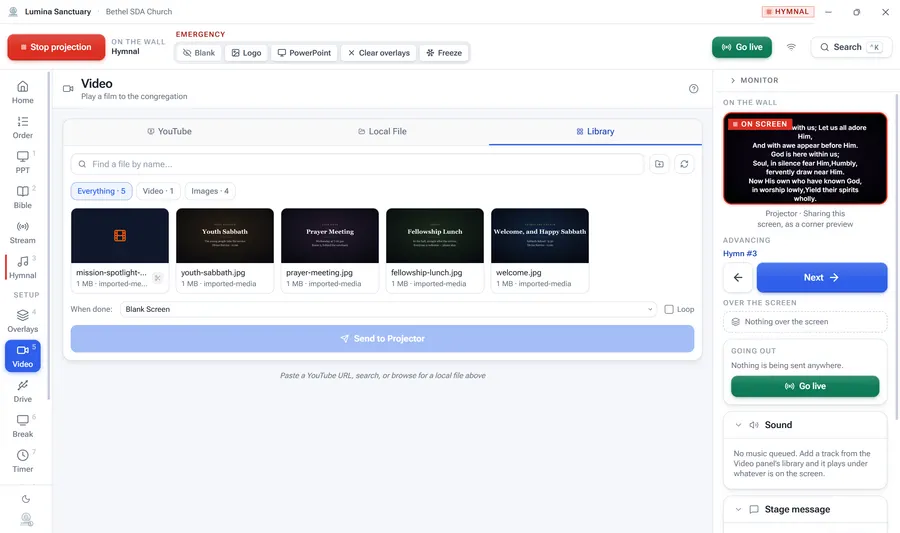
Video
A film to the congregation, from a file, the library, or YouTube.
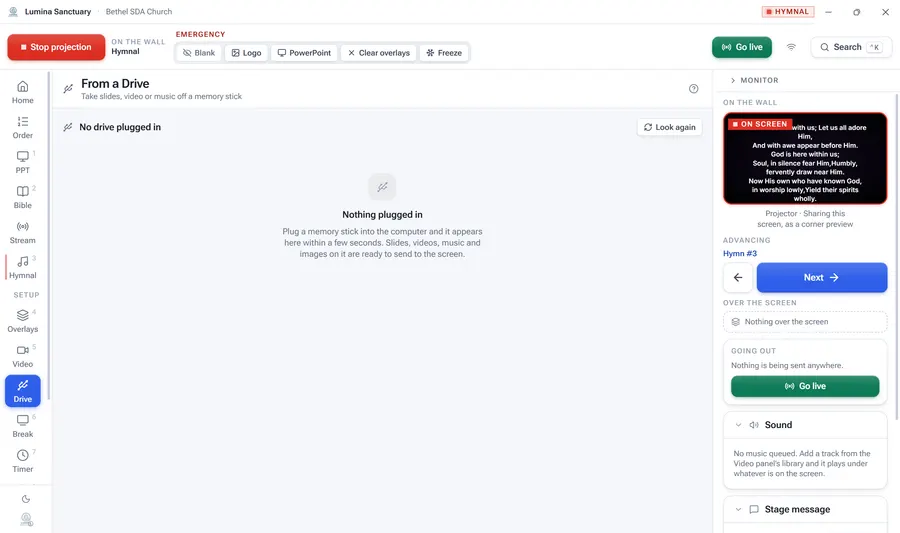
Drive
Take slides, video or music off the memory stick somebody brought.
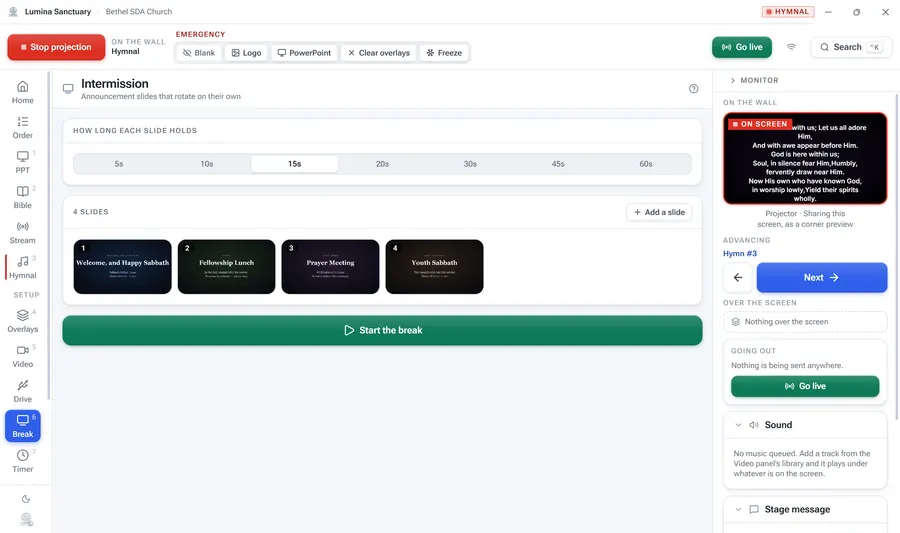
Break
Announcement slides that rotate on their own while nobody is speaking.
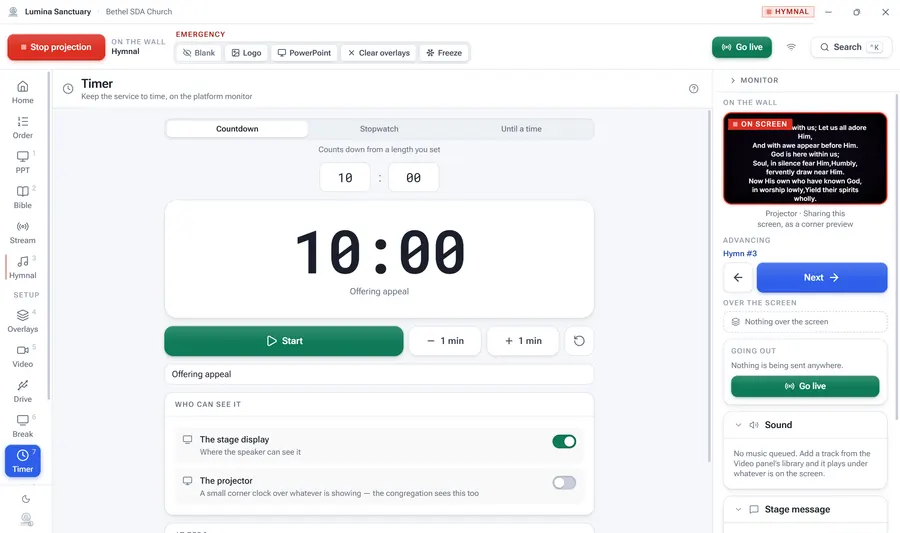
Timer
Keep the service to time, on the monitor the platform can see.
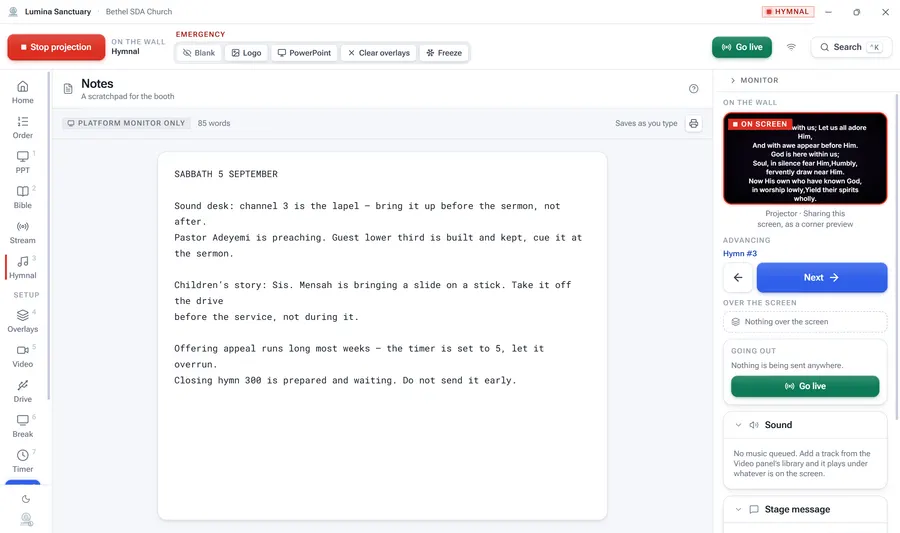
Notes
A scratchpad for the booth. It reaches the platform and nowhere else.
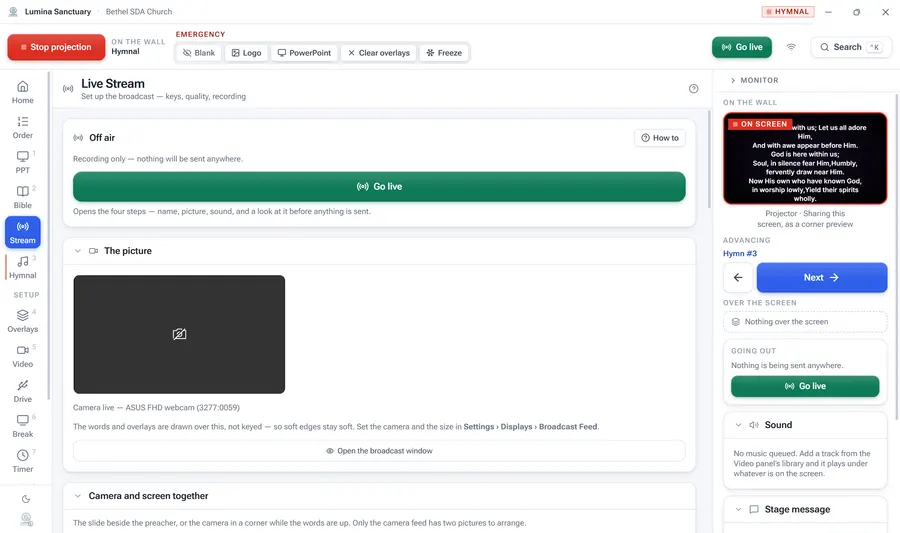
Stream
Set up the broadcast — keys, quality, sound, recording.
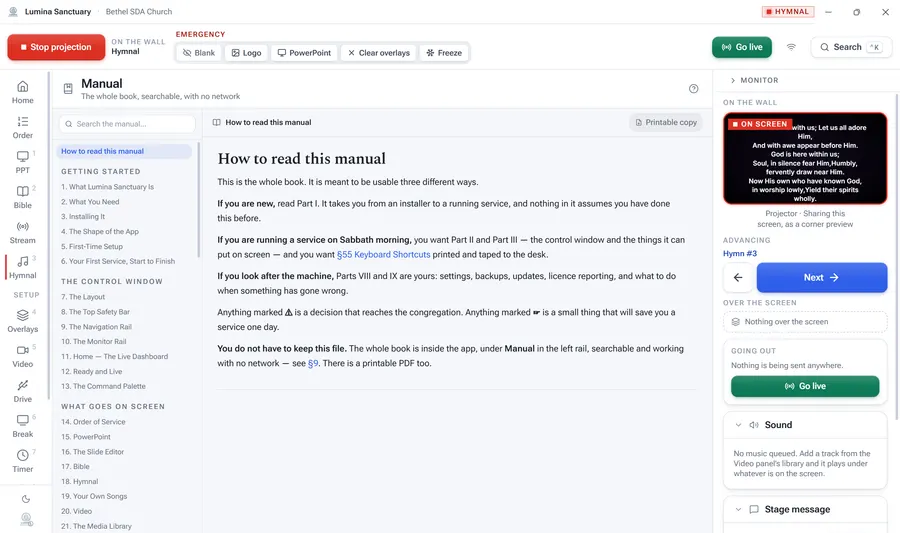
Manual
The whole book, searchable, working with no network.
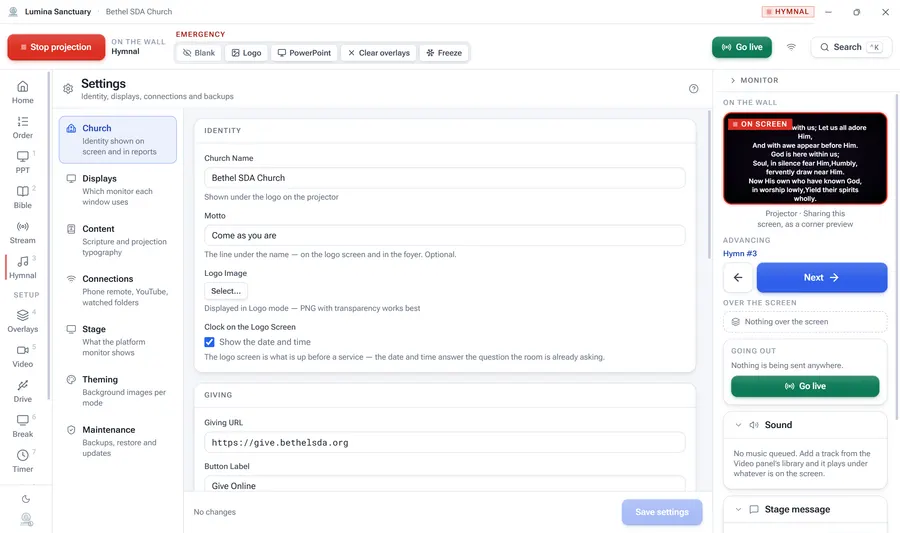
Settings
Identity, displays, connections and backups.
Ready and live
Every source holds two things at once.
What the congregation is looking at, and what is prepared to follow it. While a hymn is on screen you can open the next one, sit it on the right verse, and see it in the panel — the wall does not move.
Press Take when the first hymn is finished. Take is safe to press twice: a source with nothing prepared re-shows what it already has rather than blanking.
What the room sees
None of that reaches the wall.
The congregation never sees a panel, a rail or a button — only this. One of eleven typefaces, set on the church’s own colour, with the type fitted to the words so a long verse and a short one both fill the screen instead of one of them shrinking to nothing.
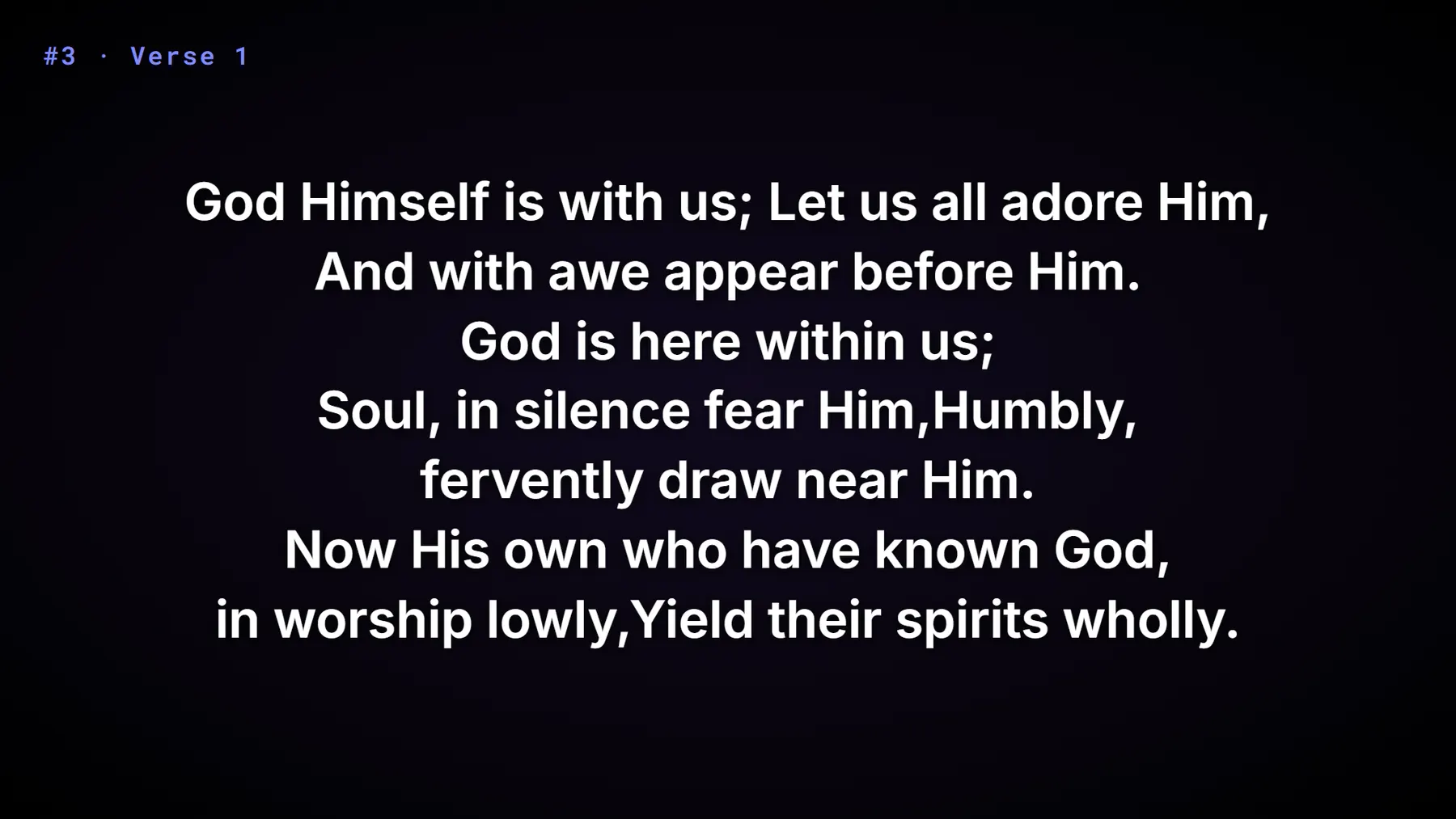
The projector, at the moment the dashboard above was photographed.
When there is no pianist
The recording sings the hymn, and the screen keeps the room together.
A church without a pianist still has to sing, and the answer has always been a recording. The cost has always been the same: somebody in the booth now has an impossible second job — advancing the words in time with a track they cannot see the shape of, from behind the congregation, while the congregation drifts because nothing in front of them says where the line is.
Switch the feature on in Settings and the recordings come with it — 610 hymns, each one timed stanza by stanza, downloaded in the background. Turn it on in the Hymnal panel for the service, and every one of those hymns gains one switch. On means the recording drives the screen; off means you do. A church with a pianist never turns it on and never sees it. There is no play, no pause and no scrub — each of those is a way for the music and the words to end up out of step, and not being out of step is the whole point.
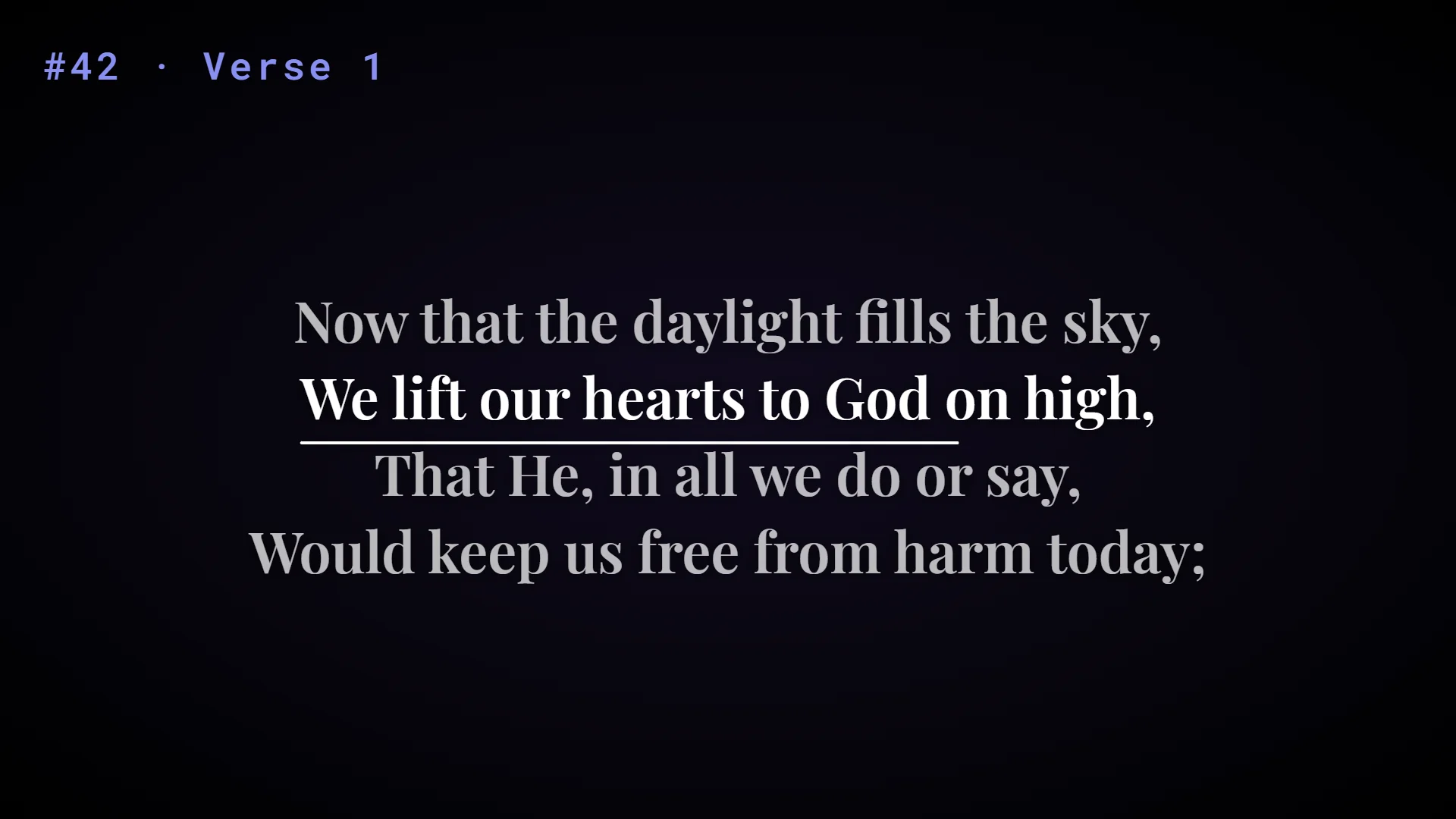
The line being sung, and how far through it the recording has got.
Already timed
Every recording arrives knowing where each of its stanzas begins, read off the recording itself. The introduction plays under the title slide, and the first verse goes up on its own. There is nothing to teach.
Every correction is kept
Nudge a hymn earlier or later, or advance a stanza a moment early, and it remembers that for your room. One button puts it back the way it came.
Nothing to set up
No folder to choose, no files to name. The recordings download once, 2.8 GB in the background, with the hymns you open fetched first — and after that they play without an internet connection.
You always win
Move the words yourself and the recording stops advancing them — it waits until the music catches up, or hands you the wheel for the rest of the hymn and says so.
Built for the Sabbath
Built around an Adventist week, not a generic one.
Nothing stops a congregation that meets on another day from using it. But every default and every example assumes Sabbath.
Friday prepares, Sabbath projects
The prepared scripture queue, the order of service and the media trims exist because the person setting up on Friday afternoon is rarely the person driving at 9:30.
A two-part morning
Sabbath School and the Divine Service run as one saved order, so the planned clock covers the whole morning and the platform always knows what is next.
Stable hymn numbers
The 695 hymns are fixed reference data. Hymn #108 means the same thing on every machine in the conference, and on the number called from the platform.
Next Sabbath is this Sabbath
Duplicate a saved service and you keep the structure, including the planned minutes. Most weeks are last week with two hymns changed.
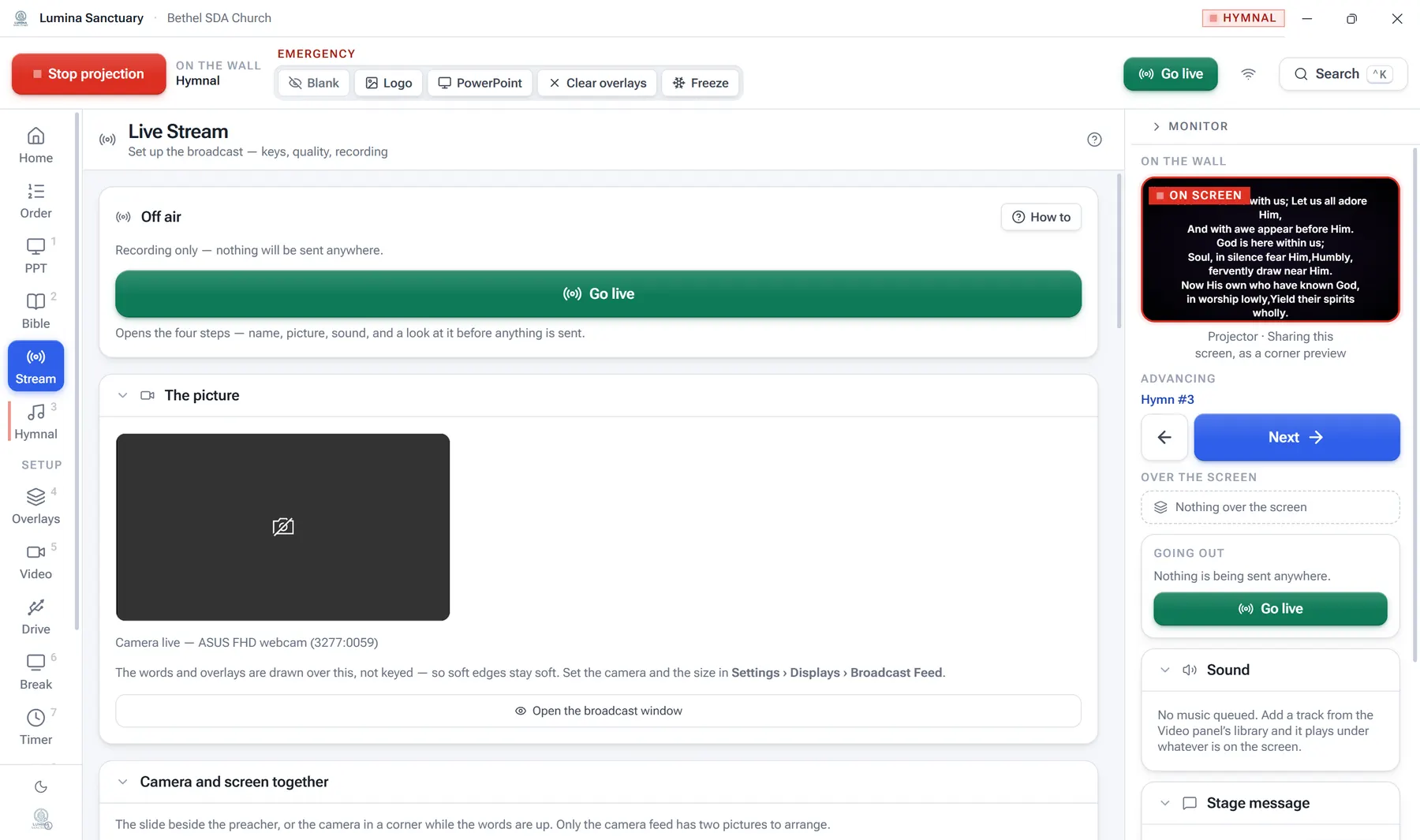
Broadcasting
The stream is part of the service, not a second job.
Four steps — name, picture, sound, and a look at it before anything is sent. Picture-in-picture, graphics that go out without touching the wall, three faders with meters, and a copy kept on disk.
A single line in the rail reads On air · 4500 kbps · 0 dropped from every panel, because a broadcast that stopped forty minutes ago is the failure that line exists to prevent.
Being honest about it
What it deliberately does not do.
It is not a presentation designer
It drives PowerPoint rather than replacing it, because your church already has decks and people who know how to make them.
It does not embed YouTube's pages
It sends video to them and asks them questions over their API. Live chat and post-service work happen in YouTube Studio, in a browser.
It does not run on macOS or Linux
The PowerPoint control is Windows COM. There is no plan for another platform.
Install it on Friday. Drive a service on Sabbath.
One installer, nothing to choose, no account. The Bible and the hymnal are already inside it.